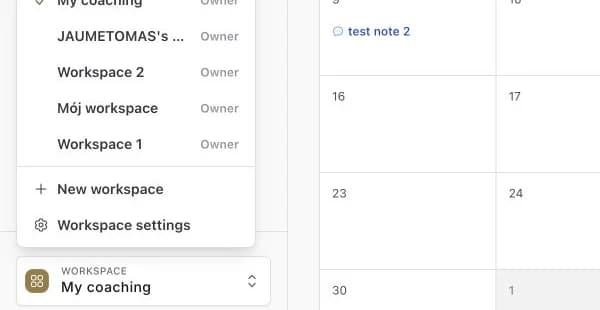
Choose the right workspace
Find the right team data by choosing your active workspace.
Where to go: Bottom left corner / Switch workspace
Step by step
- Click the workspace name in the bottom left corner and choose the space you want to work in.
- Owner identifies the workspace owner; Member identifies a participant. Available actions may depend on your role.
- After switching, check the active name and the lists. Create new resources only after confirming the correct space.
- Workspace settings opens the space settings; New workspace creates another space.