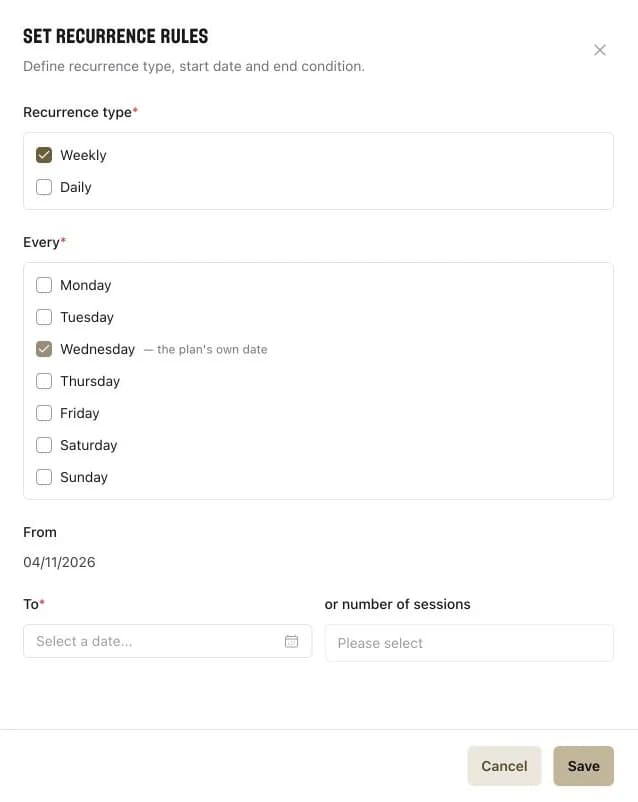
Schedule a recurring training series
Repeat sessions on selected days with an end date or session limit.
Where to go: New practice plan / Overview / Recurrence
Step by step
- Choose the plan date in Overview first, then open Set recurrence rules.
- Select Weekly or Daily. For Weekly, choose the days of the week.
- The weekday of the plan date is selected and locked: the series begins with this session.
- Set the end using the To date or the number of sessions field. Review the range before confirming.
- Click Save for the rules, then Save plan for the whole session. Check the calendar and Recurring plans.