Print a plan for the court
Choose a court sheet or full plan and prepare your PDF export.
Where to go: Saved plan / Create PDF
Step by step
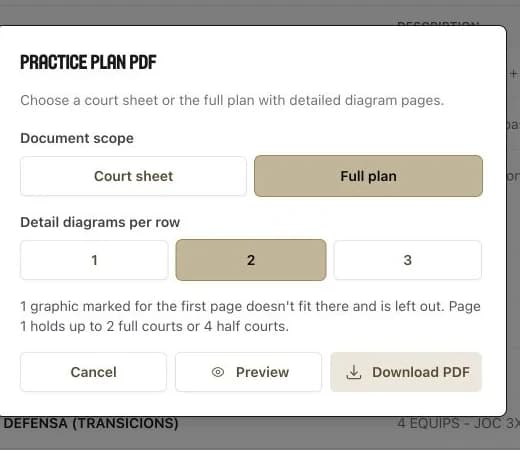
- Save the plan first, then choose Create PDF to open the PDF options.
- Under Document scope, choose Court sheet or Full plan. The full plan includes detailed diagram pages.
- Detail diagrams per row sets the number of diagrams in each row: 1, 2 or 3.
- Read any warnings about diagrams that do not fit on the first page. The screen states a limit of 2 full courts or 4 half courts.
- Use Preview and, if necessary, Back to options, then Download PDF. Before printing, check the order, legibility and completeness of the graphics.