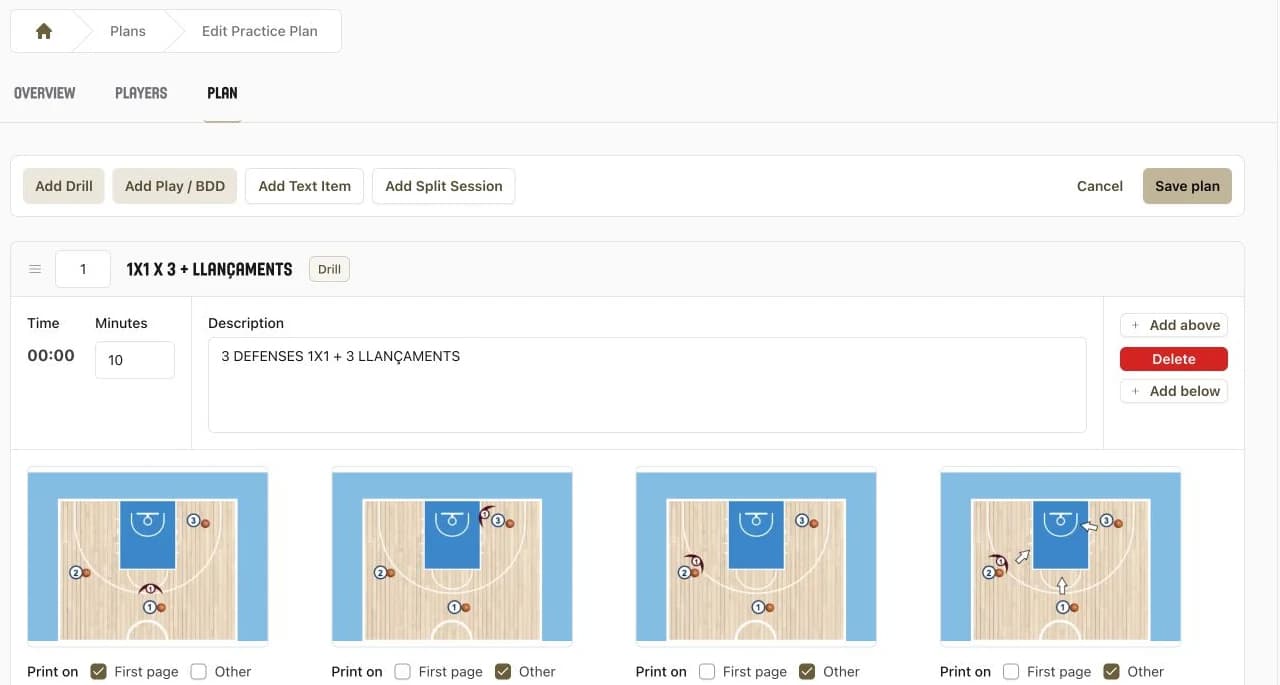
Set activity order, duration and coaching cues
Arrange activities, set minutes and prepare coaching cues.
Where to go: Practice plan / Plan
Step by step
- Set each activity duration in Minutes. Check the Time values and make the total fit your session length.
- Reorder using Drag to reorder or Position. Add above and Add below insert items at the chosen point.
- Use Text / Description for the task and session-specific coaching cues. Add Text Item creates a separate text block.
- Add Split Session is the entry point for parallel parts of a session. Prepare participants and groups first.
- For diagrams, Print on: First page / Other controls their print placement. Finish with Save plan.