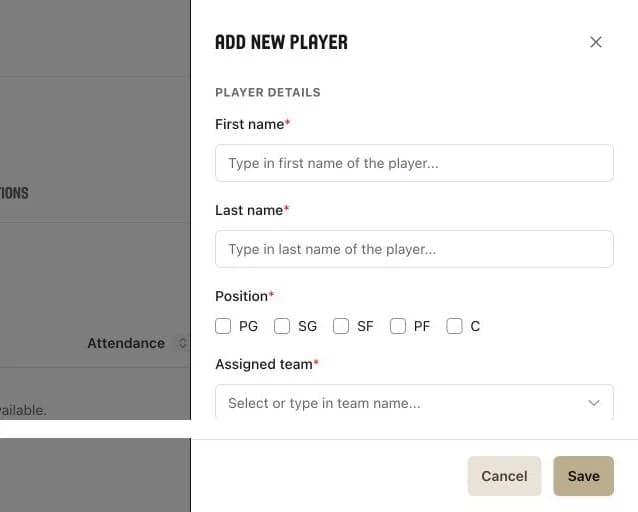
Add a player or assign an existing one
Create a player record or assign an existing player to a squad.
Where to go: Roster / Players or the team page
Step by step
- In Players, select Add new player. The form is also available from the team Current Roster.
- Enter First name and Last name, choose Position and Assigned team. Fields marked with an asterisk are required.
- Click Save, then check the player list and the team roster.
- If the player already exists, use Assign new player on the team page instead of creating a duplicate.
- The player profile also offers Assign to teams and Edit player profile. Attendance, Plans and Former Teams organise the player history.