Set up a team for the season
Set up a squad with its season, club and training location.
Where to go: Roster / Teams / Add new team
Step by step
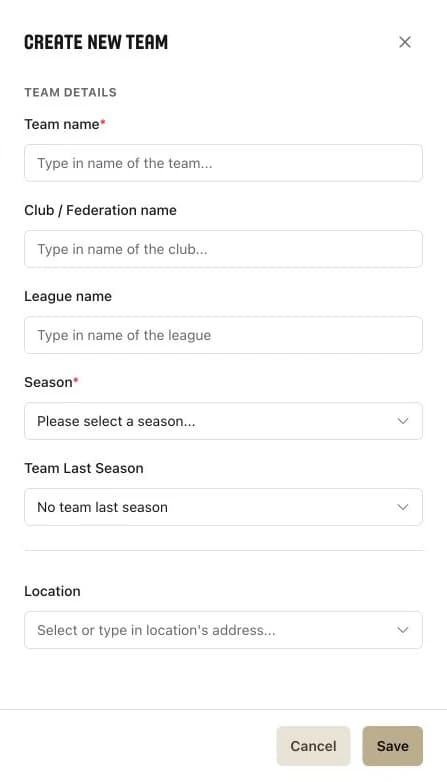
- Open Roster > Teams and select Add new team.
- Complete Team name and Season, which are required. Example team name: U16 - Group A.
- Add Club / Federation name and League name if you want them included in the team details.
- In Team Last Season you can select a previous season team. This selection does not, by itself, confirm that its roster has been copied.
- Choose a Location if one is available. Click Save, then check that the team appears in the list.
- On an existing team page, Edit team opens its details for editing.