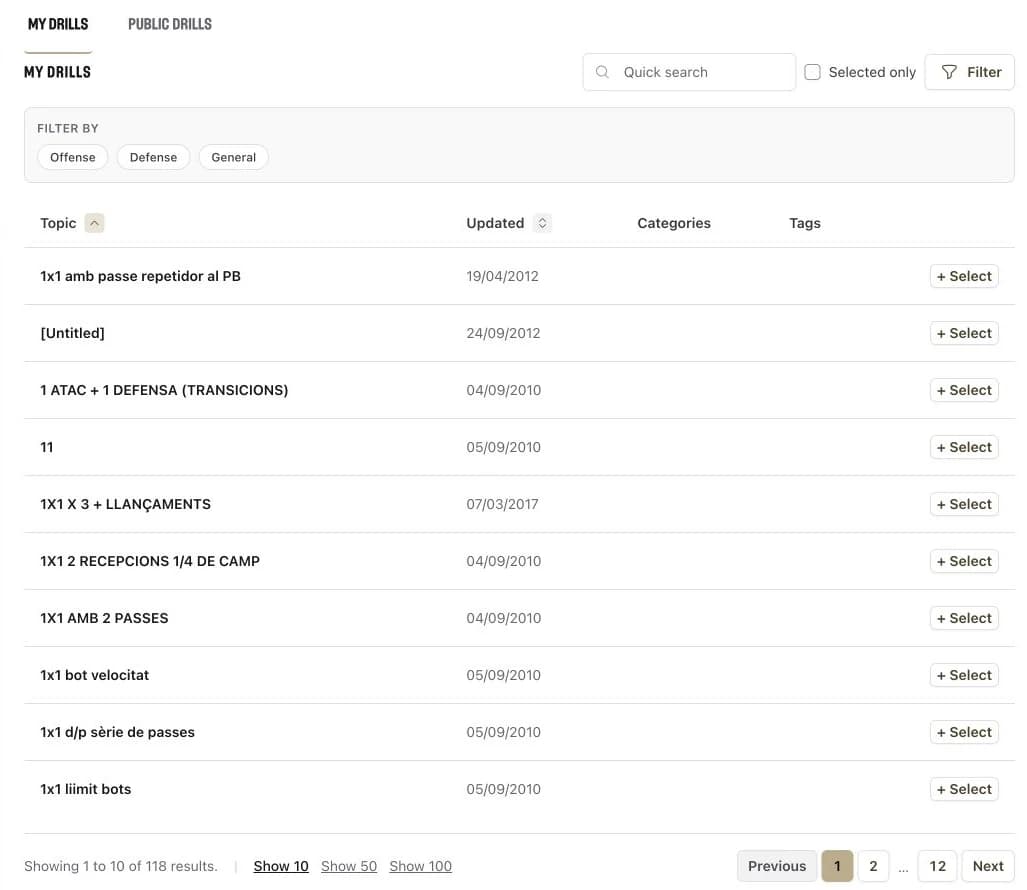
Choose drills for your session
Choose drills and plays from your own or the public library.
Where to go: Practice plan / Plan / Add Drill
Step by step
- In Plan, click Add Drill. Choose My Drills or Public Drills as the source.
- Find drills using Quick search, Filter and the Offense, Defense or General categories.
- Use Select beside the drills you want. Selected only helps you review the selected set.
- Confirm with Save in the selection panel. Back in the plan, check that the drills appear in the activity list.
- Use Add Play / BDD in a similar way to select plays and breakdown drills.