Lists: search, sort and find a record
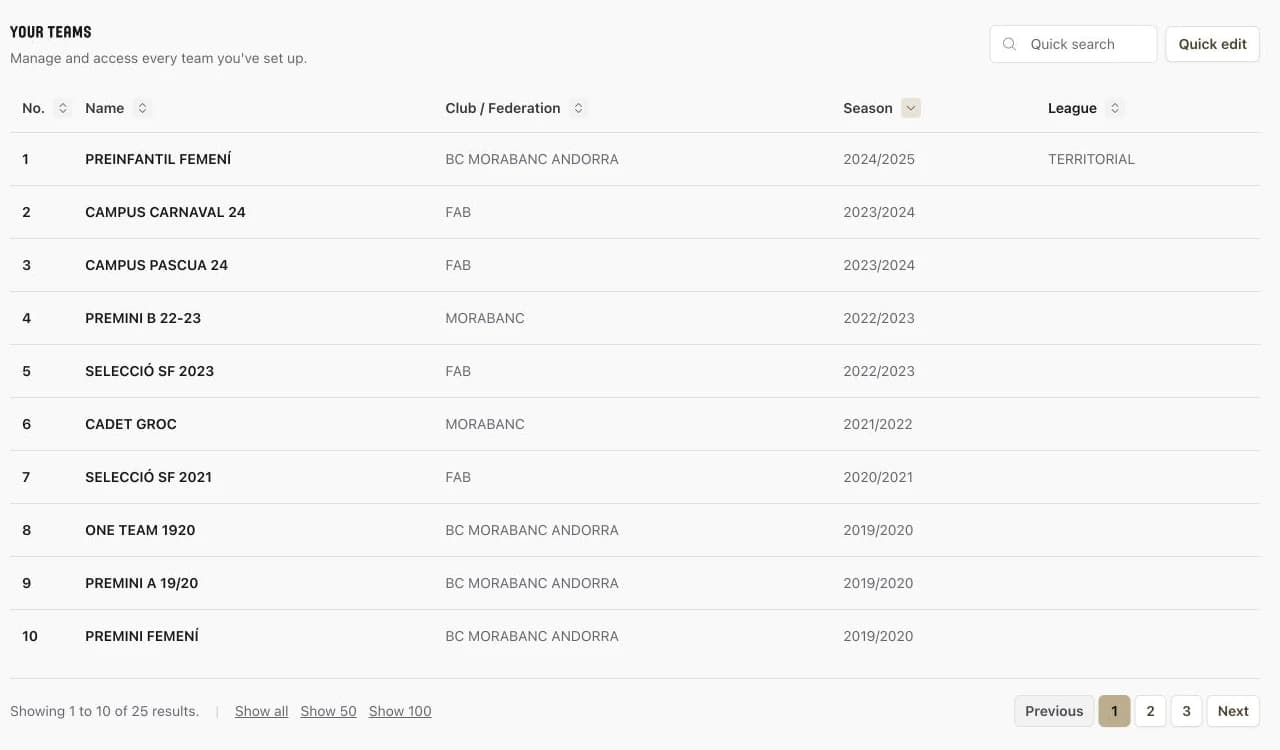
Use quick search, sorting and pagination to locate records.
Where to go: Example: Roster / Teams
Step by step
- Enter part of a name in Quick search. Where available, Filter lets you narrow the results further.
- Click a Sort by column heading, such as name or season, to change the list order.
- Use Next, Previous and the page numbers. Show all / Show 50 / Show 100 change the number of visible rows where offered.
- Click a record name to open its details. Recently Viewed provides a shortcut to teams you opened recently.
- Quick edit opens a quick editing mode on lists that support it. Check the scope of any changes before saving.